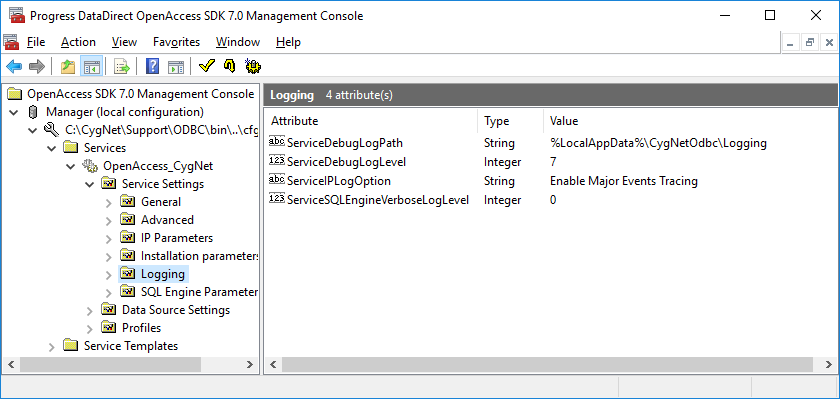
The OAADMIN70.MSC management console located in the CygNet\Support(64)\ODBC\BIN folder can be used to set advanced options such as logging levels and restore data source defaults. For more information about the OAADMIN70 management console, refer to the DataDirect documentation located in the mmcoa.chm file in the CygNet\Support\ODBC\BIN folder.
To view or edit the logging settings, navigate to OpenAccess_CygNet > Service Settings > Logging in the management console window.
By default, log files are written to the %LocalAppData%\CygNetODBC\logging directory. To change this location, double-click to edit the value of the ServiceDebugLogPath attribute. Only the 500 most recent files are retained in the logging directory. The oldest log files are deleted to make room for newer log files.
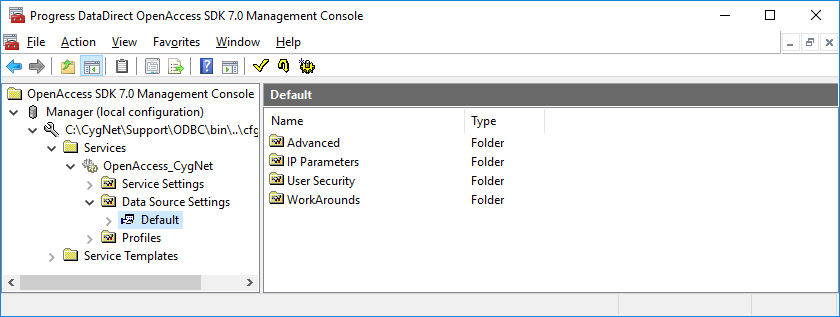
To view or edit the default data source settings, navigate to OpenAccess_CygNet > Data Source Settings in the management console window.

|
|
|

